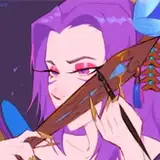
Here are the files for my Green Point artwork! This is my first fully finished artwork done on Procreate! Had a great time on that app and would definitely use it again.
Can confirm that there is next to no difference in the way I would create whether on Photoshop or Procreate and many of the tools I use on Photoshop also exist on Procreate as well! It was a super simple transition over!
I think for the sake of a bigger screen and better posture for me whilst drawing, I still prefer using my tablet and Photoshop on my computer. But I can definitely see myself using procreate from time to time if I feel like laying on the floor or something haha!
This post contains:
- Open-layered PSD file
- The artwork final
- A range of wallpapers of the artwork
- Steps guide sheet
See attached for all the files
(For my Photoshop & Procreate brushes, please use the categorised tag boxes at the top of my main Patreon feed page to find the relevant materials. Patreon is best viewed on a desktop or laptop computer)
Tanja (hakuchin)
2023-04-25 15:30:13 +0000 UTC