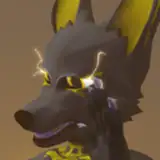
Please, try it in the VRChat world before buying it ! I don't want to disappoint peoples, you get what you see on the public avatar.
Public Discord: https://discord.gg/ZJfjkMg
A big thanks to all the early testers who helped a lot making that avatar working properly ! Pictures taken by BluWizard
Public Clonable avatars: https://vrchat.com/home/world/wrld_b4b47fe9-7cea-48de-a3cf-6239a47f3d73
Currently included:
Upon purchase, you are free to edit and use the files.
You are not allowed to:
- Claim it as your own
- Send the files to anyone
- Using part of the avatars to sell a "new" kit-bashed avatar
You are allowed to make public avatar, but if you want a commission of this avatar from someone else, you'll have to purchase the avatar here before.
You are allowed to do commission if both parties purchase the model.
Also, if you wanna get it into VRChat, you need to have some knowledge on how to upload avatars !
The Kobodal 2.0 is now requiring VRCFury to work properly, if you never used it before, you can follow the tutorials available inside the "Tutorial" tab, it includes a tutorial on how to make it quest compatible too.
Current Kobodal PC version: 2.0
Current Kobodal Quest version: 2.0
Last time updated: 21th June 2024
The Kobodal 2.0 require minimum VRCFury and the latest version of Unity VRChat uses, if you don't know how it works, please check the tutorials (well, even if you do, it can help)!
Kobodal 2.0 isn't compatible with older project ! Please make a new project.
Required depencies (VCC Repositories)
Kobodal 2.01 VRChat PC&Quest Package
Kobodal 2.0 Resonite Port by Piroboy5000
Kobodal 2.01 FXLayer Patch
Require the package above this one to work. Use this to fix the ability to click on conditions, restarting unity is required after installing this patch
Kobodal 2.0 Legacy textures, to be installed only after the base package.
Blender Files
Last update: June 21th 2024
All the substance files are working on all the Kobodal versions. Please note that the two first substances skins are using a better version of the model, so I would recommend using one of thoses twos as a base.

Body Skins:
Clothing/Misc objects Substances:
Body skins:
Clothing:
Here you can find approved community content for the Kobodal 2.0 !
Resonite Package
Basic Unity setup for the Kobodal 2.0 Project:
Making your avatar Quest Compatible
Older versions of the kobodal
You can use this key to get your roles on the discord.